Complete Guide to InfonBot
Learn how to set up, customize, and maximize your AI-powered chatbot for exceptional customer support
How InfonBot Works
InfonBot uses advanced AI technology to provide intelligent, context-aware responses to your customers
AI-Powered Intelligence
InfonBot leverages Google Gemini 2.0 AI to understand and respond to customer queries naturally. The system uses vector embeddings and semantic search to find the most relevant information from your content.
- ✓Semantic understanding of questions
- ✓Context-aware responses
- ✓Multi-language support
Knowledge Base Training
Train your chatbot on your own content - documents, websites, and knowledge bases. InfonBot automatically processes and indexes your content using vector embeddings for fast, accurate retrieval.
- ✓Document upload (PDF, DOCX, TXT)
- ✓Website scraping with sitemap.xml
- ✓Automatic content indexing
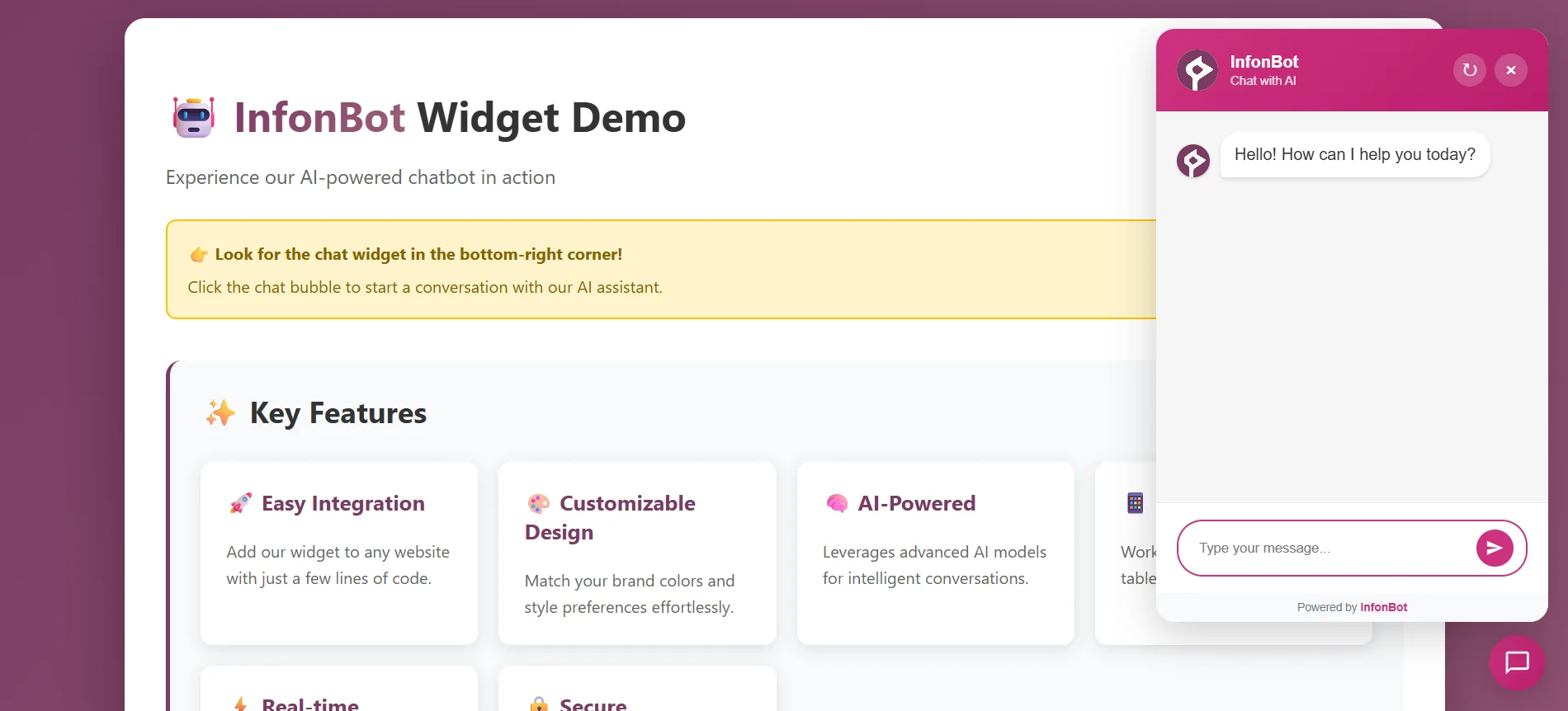
InfonBot widget in action - providing instant AI-powered responses to customer queries
Quick Setup Guide
Get your chatbot up and running in minutes
Sign Up and Get Your API Key
Create your free account at InfonBot and navigate to your dashboard. You'll find your unique API key in the Widget section, which you'll use to connect the chatbot to your website.
Your API Key Location:
Dashboard → Widget → Copy API Key
Install the Widget Code
Copy the widget code from your dashboard and paste it into your website's HTML, just before the closing </body> tag. The widget will automatically appear on your site.
Widget Code Example:
<script
  src="https://www.infonbot.com/widget.js"
  data-api-key="your-api-key-here"
  data-position="bottom-right"
></script>
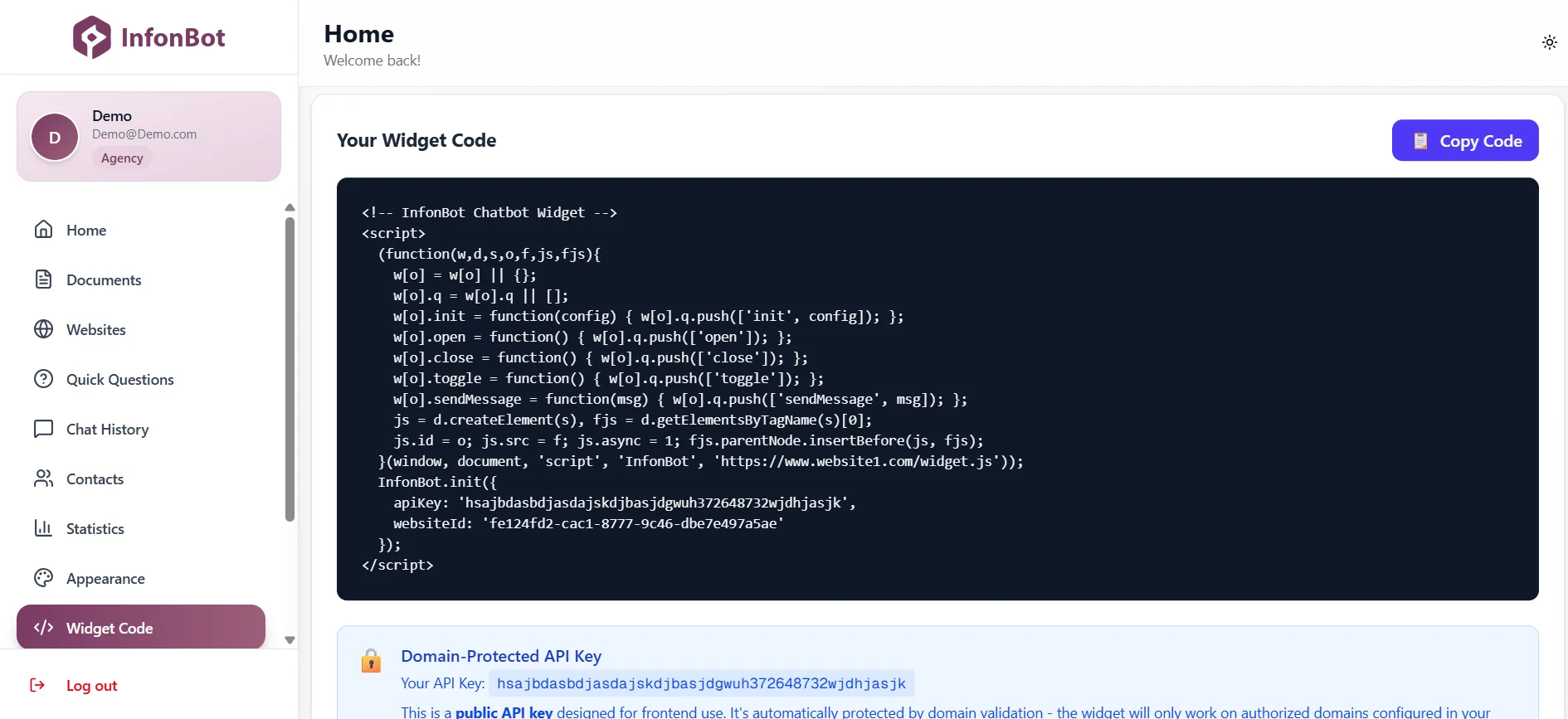
Widget code section in your dashboard
Test Your Chatbot
Visit your website and look for the chat widget in the bottom-right corner (or your chosen position). Click on it to open the chat interface and test a few questions to ensure everything is working correctly.
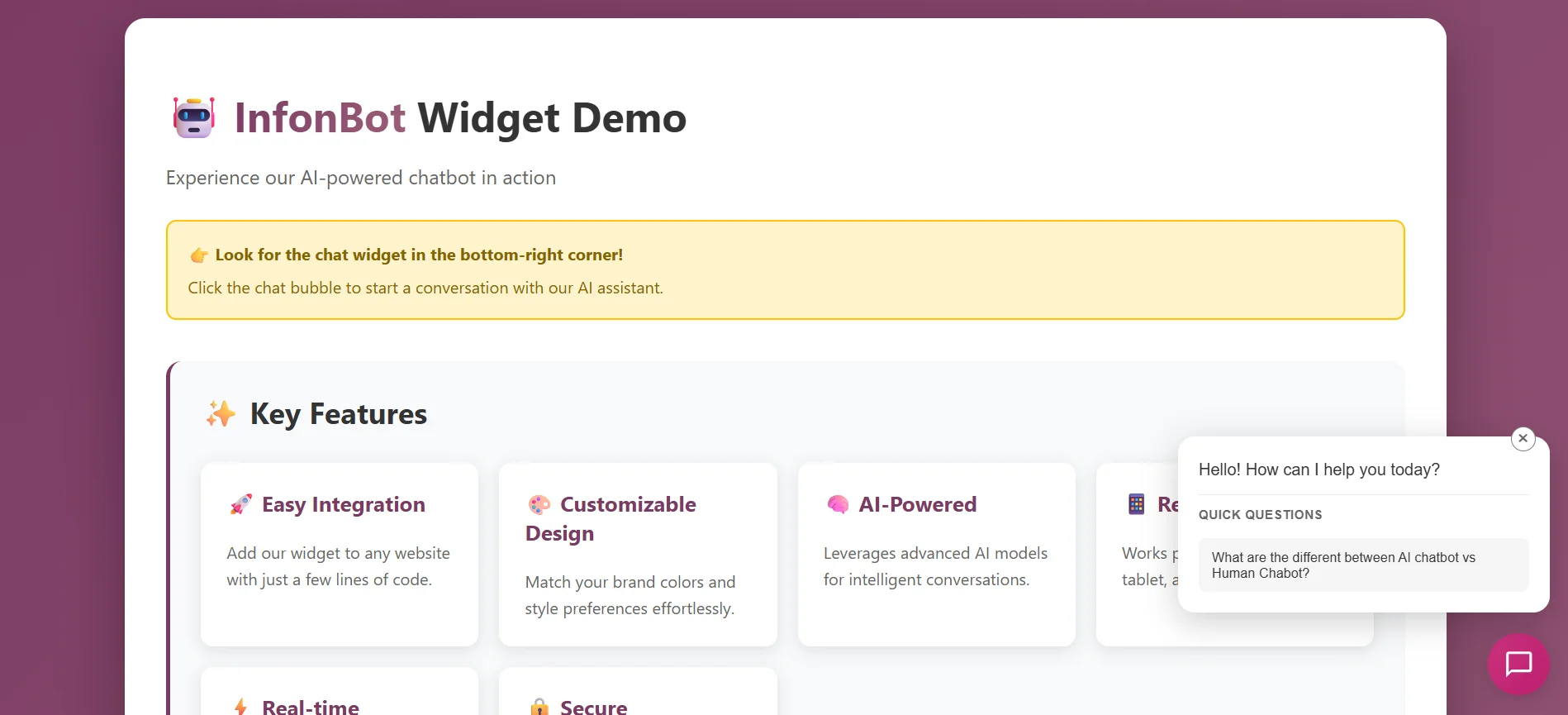
Live widget demo on your website
Customize Your Chatbot
Make your chatbot match your brand identity with extensive customization options
Appearance Settings
- ✓Primary Color: Match your brand colors
- ✓Position: Bottom-right, bottom-left, or custom
- ✓Size: Small, medium, or large widget
- ✓Border Radius: Customize corner rounding
- ✓Logo: Upload your company logo
Text & Messages
- ✓Welcome Message: Custom greeting text
- ✓Header Title: Chat window header text
- ✓Placeholder Text: Input field hint text
- ✓Font Family: Choose your preferred font
- ✓Font Size: Adjustable text size
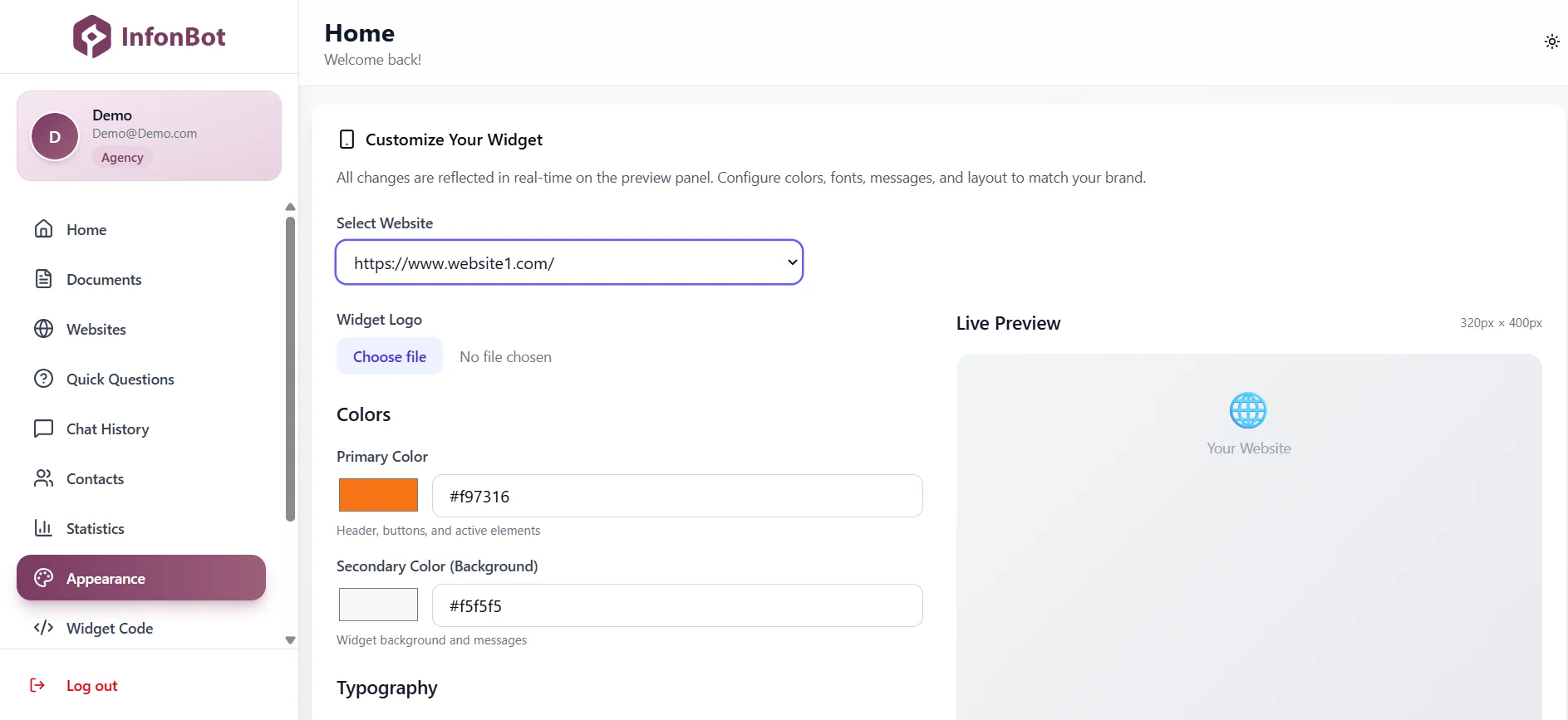
Appearance customization panel in your dashboard
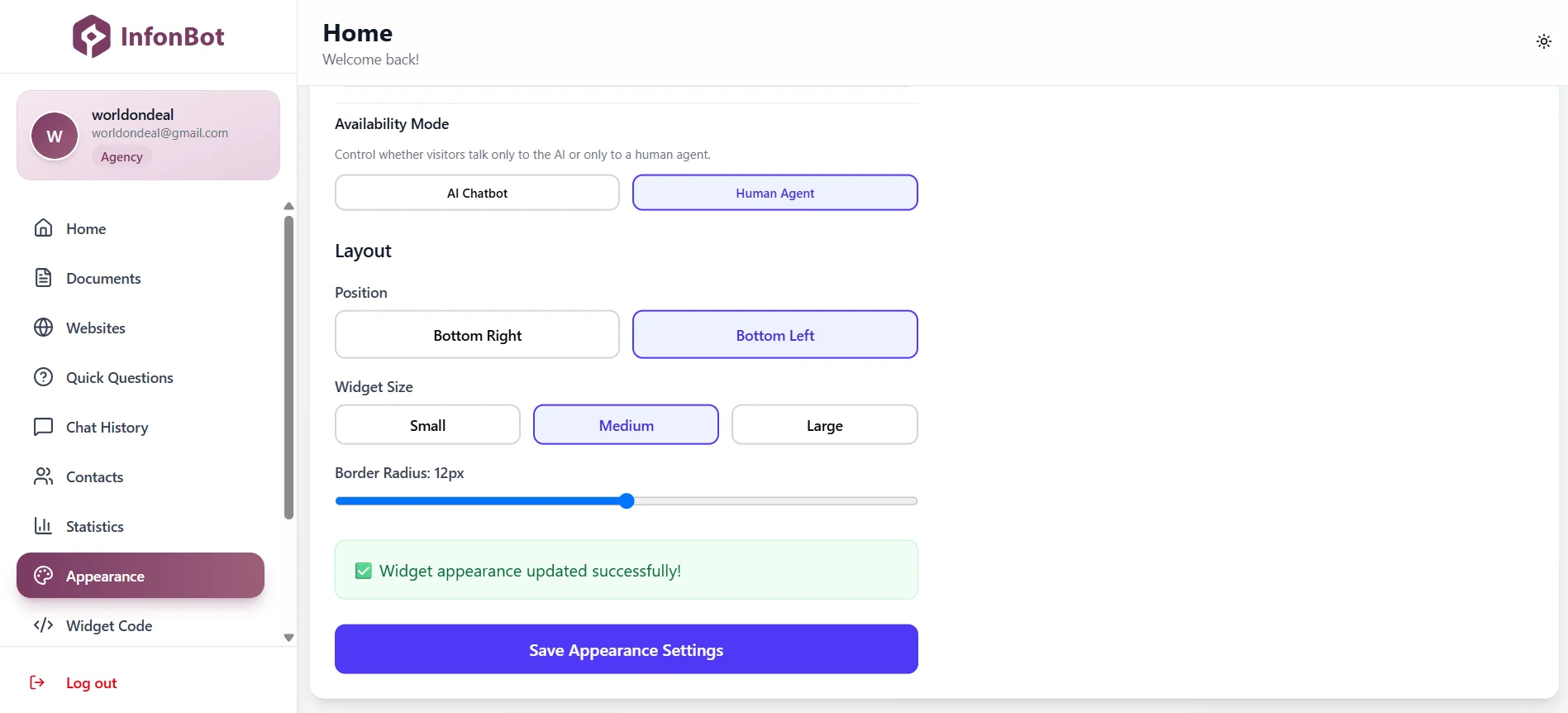
Switch between AI-only mode and live chat mode
Training Your Chatbot
Feed your chatbot with knowledge from documents and websites
Upload Documents
Upload PDFs, Word documents, or text files containing your product information, FAQs, policies, or any content you want your chatbot to learn from.
- ✓Supported formats: PDF, DOCX, TXT
- ✓Automatic text extraction
- ✓Smart chunking and indexing
- ✓Vector embeddings for fast search
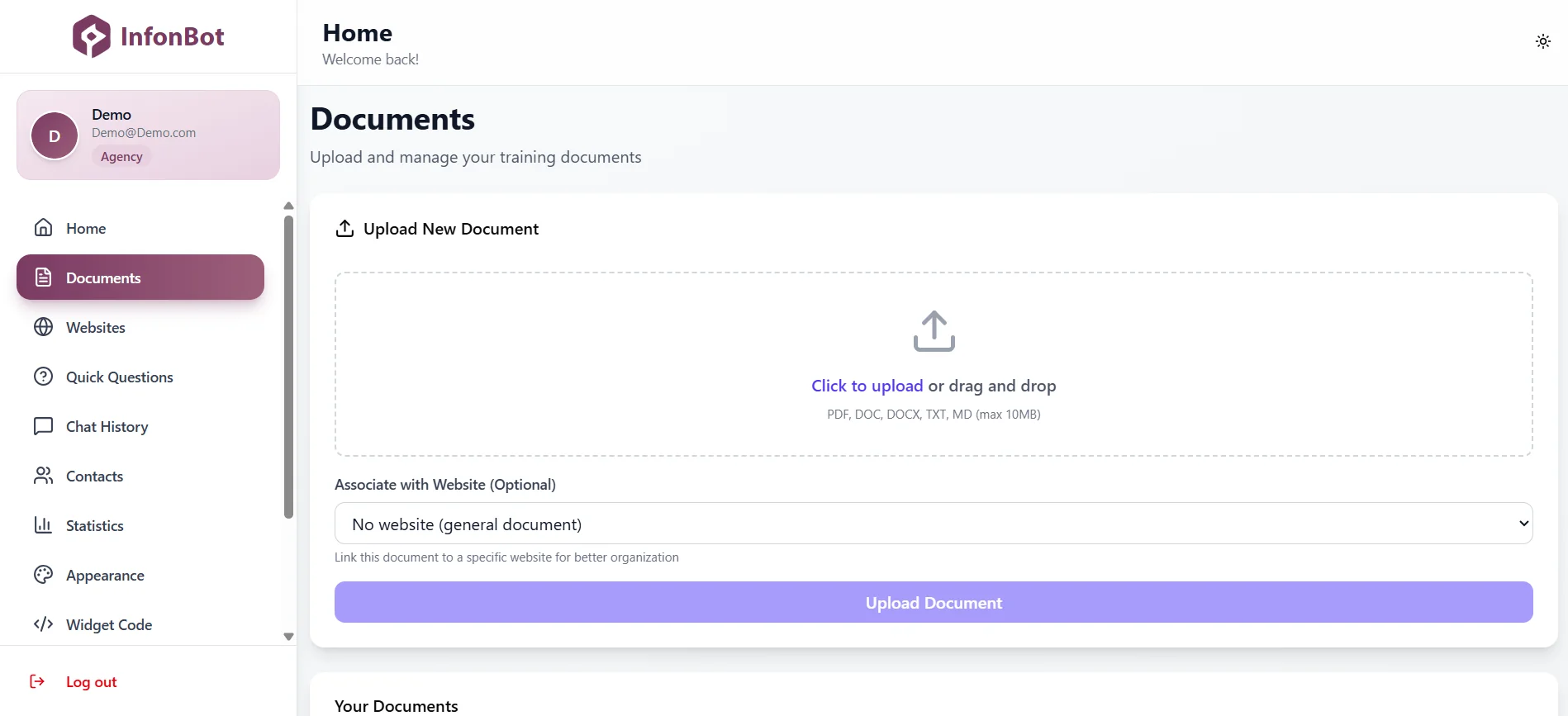
Document upload and management
Add Websites
Connect your website or documentation site. InfonBot can automatically discover and scrape pages using sitemap.xml, or you can add specific URLs manually.
- ✓Sitemap.xml automatic discovery
- ✓Manual URL addition
- ✓URL filtering (include/exclude patterns)
- ✓Automatic content updates
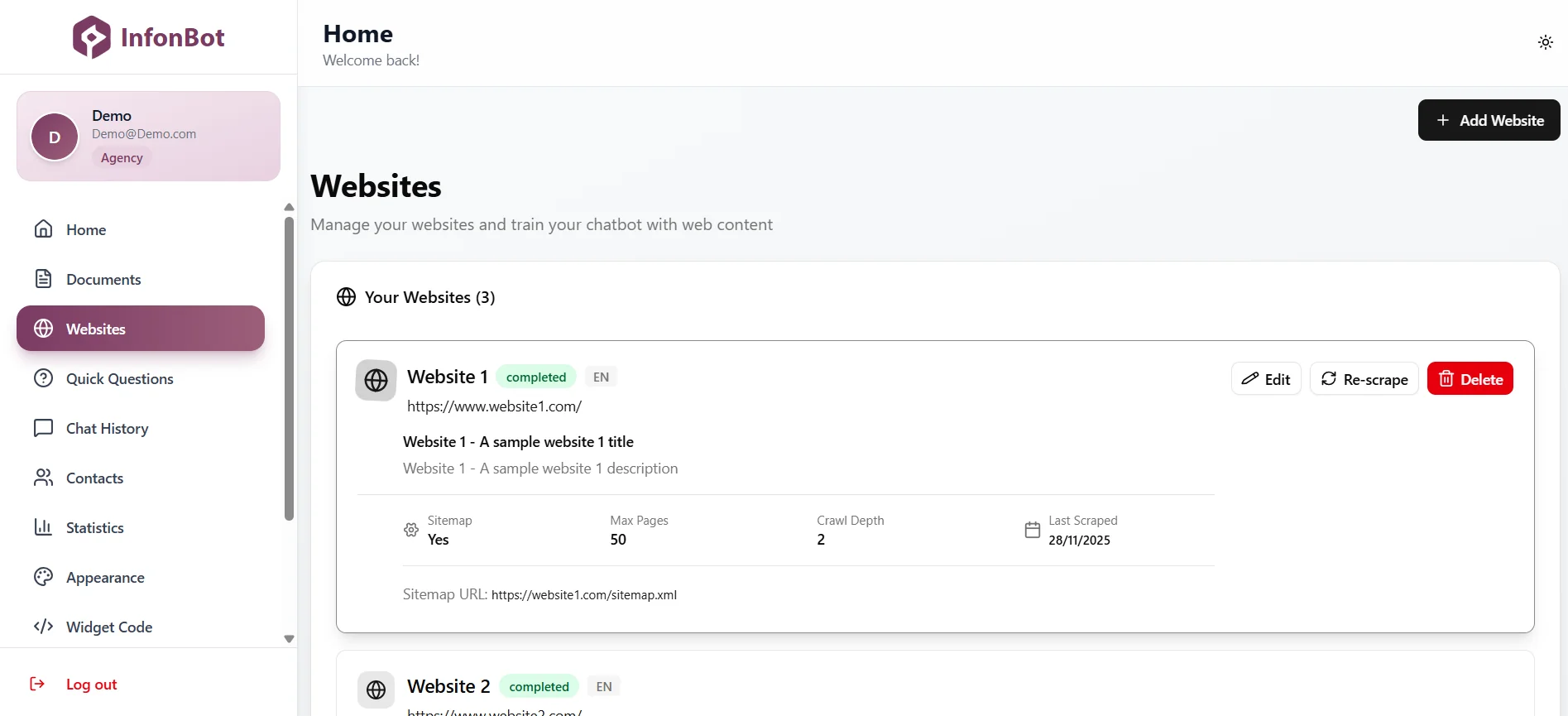
Website URL management
Advanced Features
Powerful features to enhance your customer support experience
Quick Questions
Pre-configure common questions and answers that appear as quick action buttons in the chat widget. This helps users find answers instantly without typing.
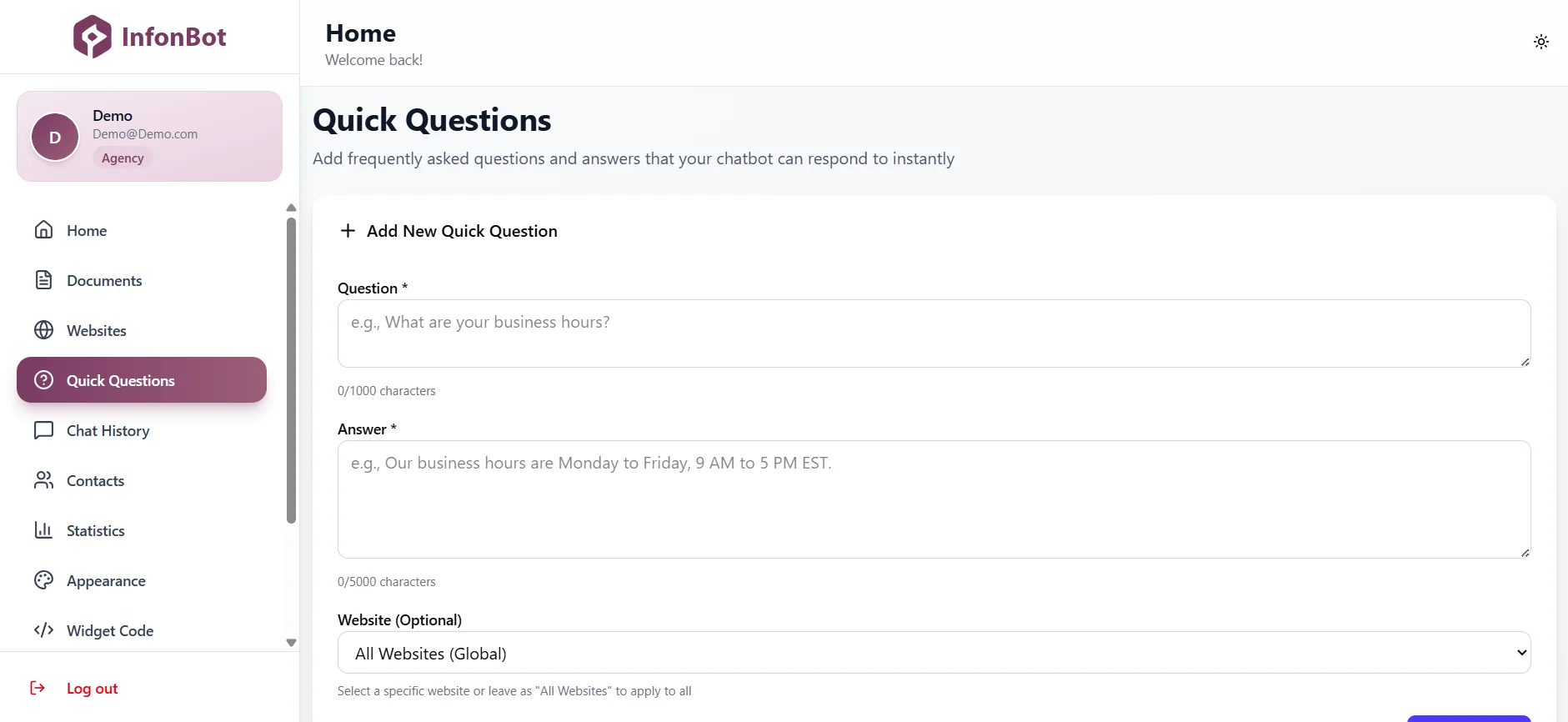
Quick questions management
Chat History
View and analyze all conversations with your chatbot. Track user questions, AI responses, and identify areas for improvement in your knowledge base.
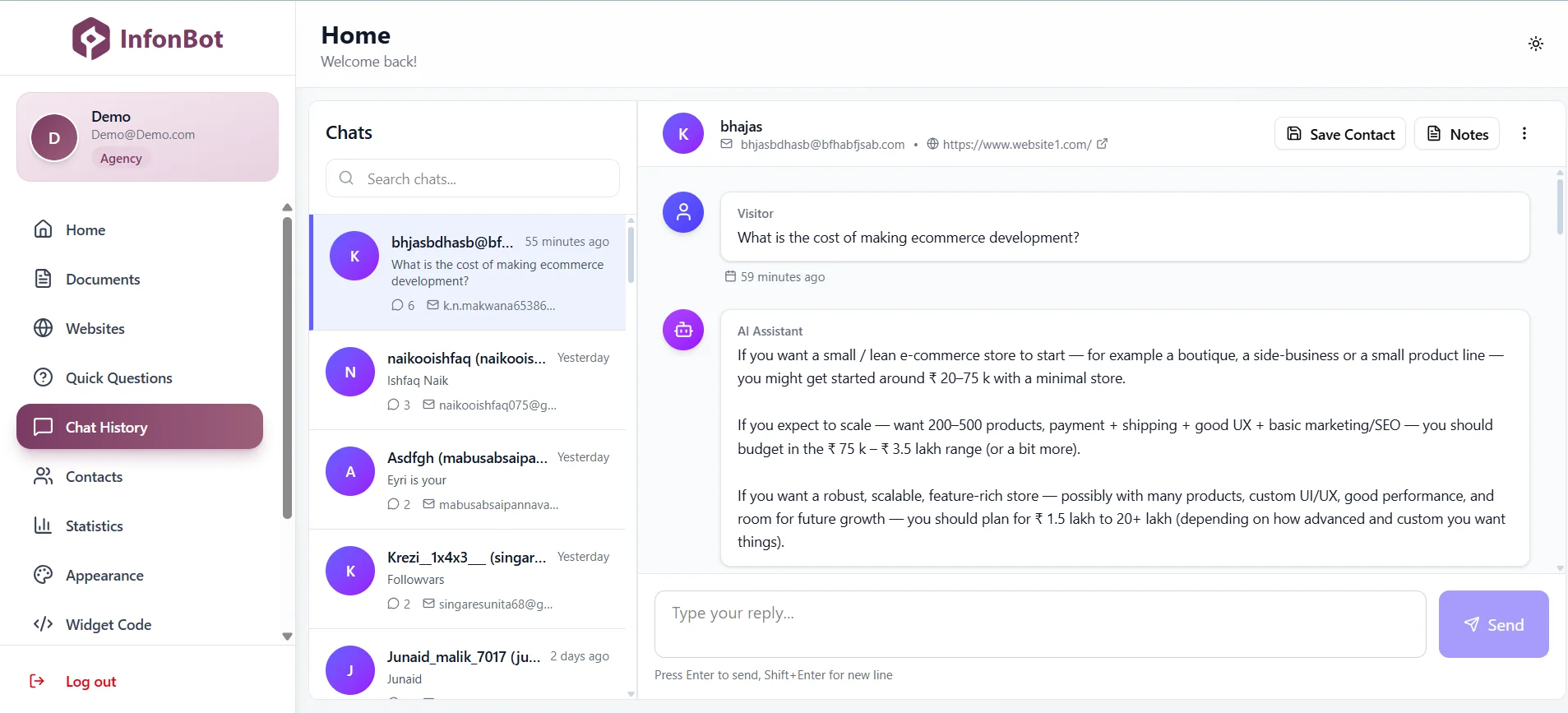
Chat history and analytics
User Information Collection
Collect user information (name, email, phone) before or during conversations. This helps you follow up with leads and provide personalized support.
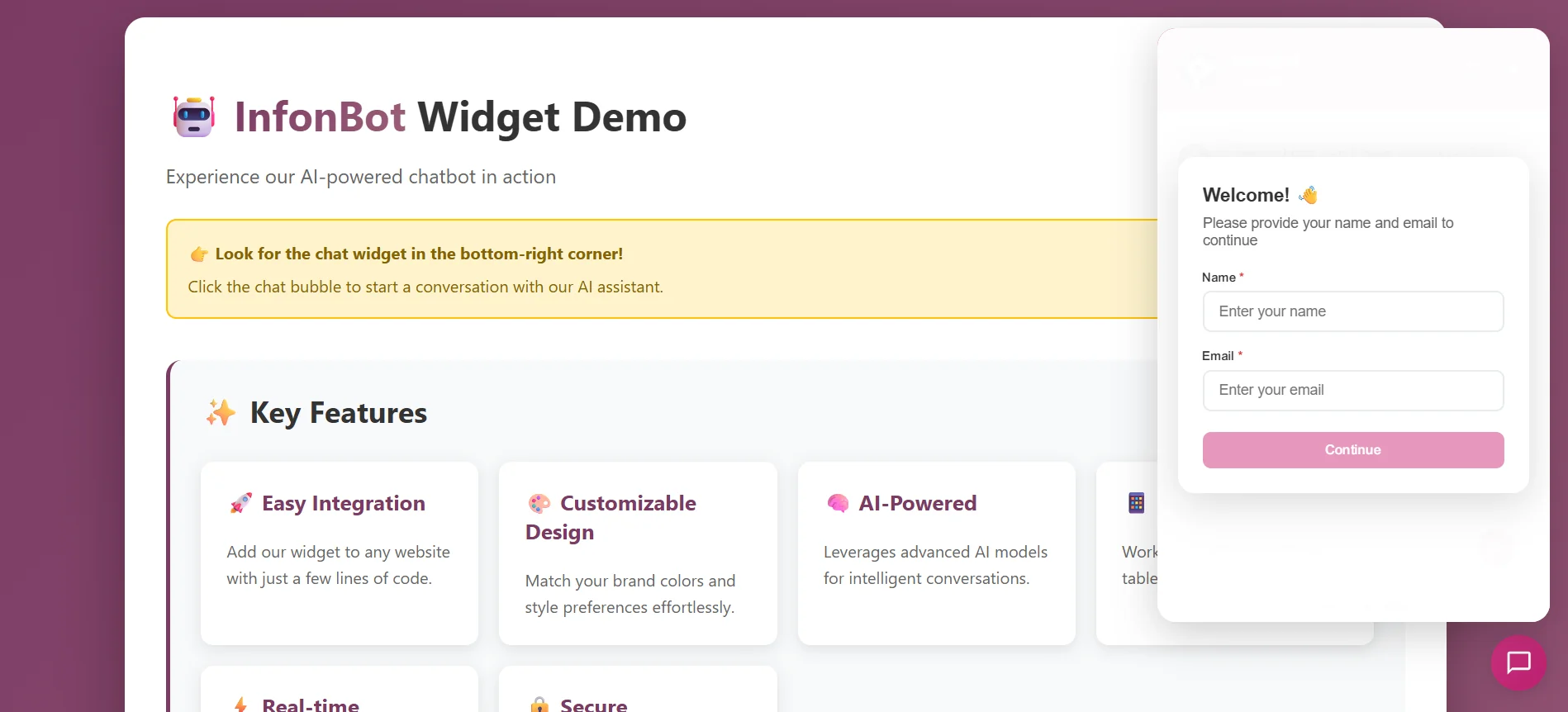
User information collection form
Best Practices
Tips to get the most out of your InfonBot chatbot
Organize Your Content
Structure your documents and website content clearly. Use headings, bullet points, and clear sections to help the AI understand and retrieve information better.
Keep Content Updated
Regularly update your documents and website content. InfonBot automatically re-indexes your content, ensuring your chatbot always has the latest information.
Use Quick Questions
Set up quick questions for common queries. This reduces typing for users and provides instant answers to frequently asked questions.
Match Your Brand
Customize colors, fonts, and messages to match your brand identity. A consistent look and feel builds trust with your customers.
Monitor Chat History
Regularly review chat history to identify common questions and areas where your knowledge base can be improved.
Test Regularly
Test your chatbot with various questions to ensure it's providing accurate and helpful responses. Update your content based on test results.
Ready to Get Started?
Create your free account and start building your AI-powered chatbot today